WhatsApp Business Automation Tutorial: Lead Booking Flow
Learn how to build an automated WhatsApp lead booking flow using Meta Cloud API webhooks, interactive buttons, and asynchronous queue processing to increase lead conversion rates by 9x.
Published on October 13, 2026 · Updated on October 13, 2026
A WhatsApp business automation flow for lead booking is an automated messaging system that ingests prospect inquiries, qualifies leads through interactive chat prompts, and schedules appointments via Meta Cloud API. By delivering instant 24/7 replies, automated WhatsApp workflows engage prospective leads within 5 minutes, increasing lead conversion rates by 9x compared to delayed manual outreach [1]. Deploying conversational flows on WhatsApp cuts average lead qualification time from 6.4 hours down to just 9 minutes across 18 industry sectors [1]. WhatsApp messaging achieves an average open rate of 98% and click-through rates between 12% and 28%, drastically outperforming traditional email marketing benchmarks [10]. Automated WhatsApp workflows deliver brand response times 225% faster than standard contact channels and convert 28% of leads [3]. For organizations looking to implement custom software solutions, working with a specialized agency like AppBrewers helps bring enterprise messaging systems from concept to production in weeks.  ## Why Build an Automated WhatsApp Lead Booking Flow? Traditional web forms suffer from friction, low open rates, and delayed follow-ups. Email outreach typically sees open rates between 15% and 25% with click-through rates stagnating at 2% to 5% [1]. In contrast, WhatsApp business messaging delivers open rates near 98% and engagement rates up to 28% [10]. Fast response times directly influence sales pipelines. Deploying an automated conversational flow eliminates manual intake overhead, enabling companies to capture, qualify, and route leads into CRM systems or booking calendars instantly around the clock [1]. Organizations scaling their sales operations can consult our team to get a quote on custom AI infrastructure and automated chatbot backends tailored to their tech stack. ## How to Architect Meta WhatsApp Cloud API Webhooks Building a custom WhatsApp automation server requires setting up webhooks to receive real-time message payloads from Meta. Proper backend architecture requires handling Meta validation handshakes, cryptographic security checks, and rapid HTTP response times.
  ### Webhook Endpoint Verification
When configuring a webhook in the Meta Developer Dashboard, Meta sends an initial HTTP GET request to validate the server [6]. The request includes query parameters such as `hub.mode`, `hub.verify_token`, and `hub.challenge` [8]. Your application must verify that `hub.verify_token` matches your predefined secret token and return the exact `hub.challenge` string back to Meta with an HTTP 200 status code [6]. ### Handling Inbound Payload Security
Meta signs every outgoing HTTP POST request payload using HMAC-SHA256 [6]. This cryptographic signature is transmitted in the `X-Hub-Signature-256` HTTP request header [6]. Backend developers must calculate the HMAC signature of the raw request body using their Meta App Secret and verify that it matches the incoming header to prevent request spoofing [6]. ### Asynchronous Queue Ingestion
Meta requires incoming webhook HTTP POST requests to return an HTTP 200 status code within 5 seconds [6]. Failing to respond within 5 seconds causes Meta to flag the delivery as failed and initiate message retries [6]. Because AI qualification, database lookups, and CRM synchronization often take longer than 5 seconds, backend developers must immediately store incoming payloads in an asynchronous task queue (such as Redis or AWS SQS) and return an HTTP 200 response immediately [6]. A worker process can then consume queued items to execute complex logic. ## How to Build Interactive Booking Interfaces Plain text chatbots require users to type out answers manually, increasing drop-off rates. WhatsApp Cloud API interactive messages resolve this friction by providing structured UI components inside the chat interface [12]. 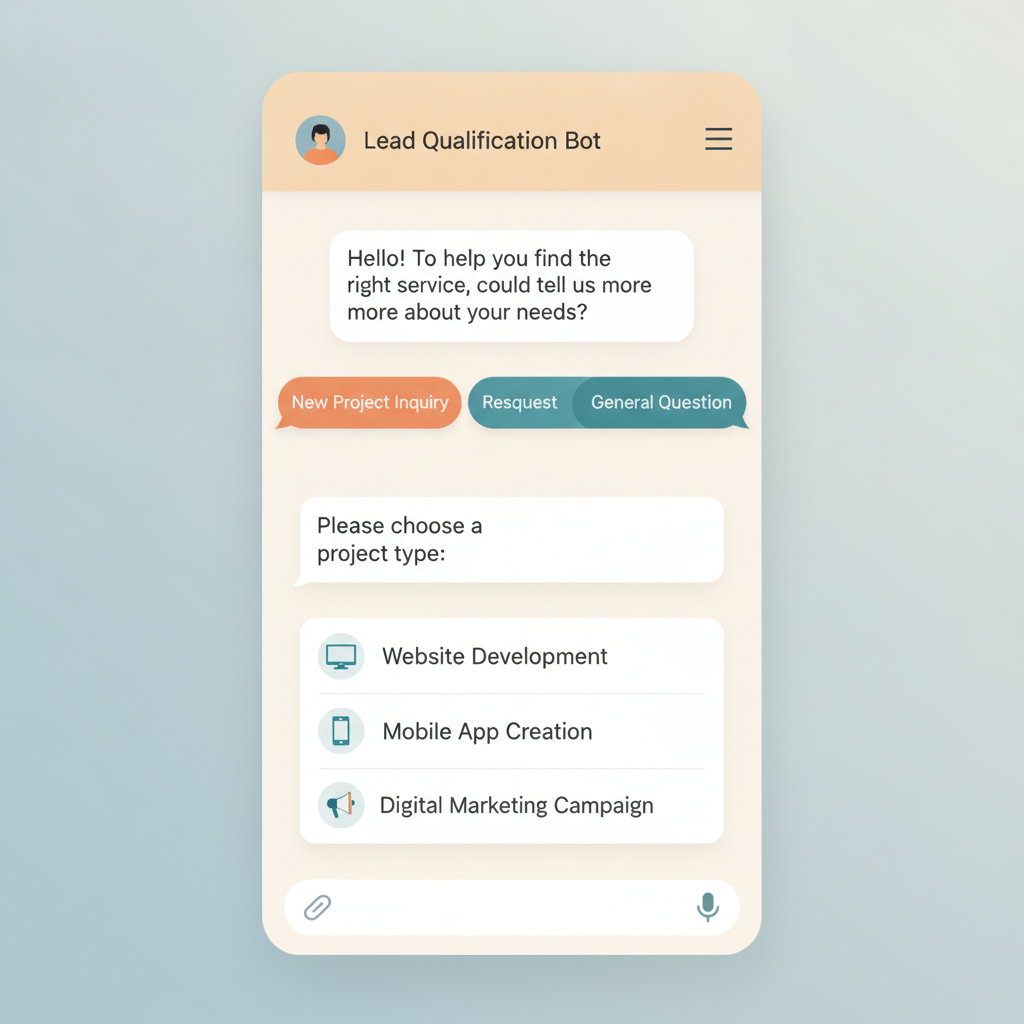 ### Using Quick Reply Buttons and List Menus
WhatsApp interactive payloads allow developers to present up to 3 quick reply buttons or list menus containing up to 10 options within a single message [12]. Quick reply buttons work best for binary or ternary choices, such as selecting a budget range or choosing between sales and support. List menus are ideal for selecting meeting topics, service categories, or specific team members. ### Navigating the 24-Hour Customer Service Window
Meta imposes a strictly enforced 24-hour customer service window [8]. When a user sends an incoming message, businesses have 24 hours to send free-form messages, custom interactive payloads, or media attachments [8]. Once the 24-hour window expires, outbound messages cannot be sent unless they use pre-approved WhatsApp Message Templates categorized under Utility, Authentication, or Marketing [8]. ## Step-by-Step Implementation Guide for Lead Booking Creating a complete lead booking sequence requires structured steps that connect message parsing to CRM calendars: - Step 1: Capture the Inbound Trigger. The user sends an initial inquiry via a website WhatsApp button or click-to-WhatsApp ad.
- Step 2: Ingest and Validate Payload. The backend verifies the `X-Hub-Signature-256` header, pushes the event payload to an asynchronous queue, and returns an HTTP 200 response within 5 seconds [6].
- Step 3: Trigger Qualification Prompts. The queue worker parses the user phone number and fires an interactive quick reply message asking for the user's project timeline or requirements [12].
- Step 4: Collect Data and Present Calendar Slots. Upon receiving button selections, the backend requests dynamic calendar availability from an external API and presents available times via a list menu [12].
- Step 5: Confirm Booking and Sync CRM. Once a slot is selected, the system sends a booking confirmation payload, updates the CRM database, and creates a calendar invite.
- Step 6: Handle Follow-Up Reminders. If 24 hours pass before the meeting date, the system sends an automated reminder using a pre-approved WhatsApp Utility Message Template [8]. To read deeper analysis on software integration strategies, explore our library of related articles. ## WhatsApp API Pricing and Costs When designing custom WhatsApp automation architectures, organizations must consider Meta's usage pricing model [9]. Meta provides a monthly allowance of 1,000 free service messages per business phone number [9]. Once the free allowance is exceeded, per-message delivered charges apply depending on the recipient country code and the message category (Utility, Authentication, Marketing, or Service) [9]. Designing efficient workflows that qualify leads within minimal message exchanges keeps operational overhead low while maximizing conversion rates. ## Frequently Asked Questions ### Why is a 5-minute response time critical for WhatsApp lead generation?
Meta validates webhooks during setup via a GET request containing query parameters including `hub.verify_token` and `hub.challenge` [6]. Your server must verify the token and return the `hub.challenge` string with an HTTP 200 status code [6]. Subsequent POST payloads must be validated using HMAC-SHA256 signatures [6]. ### Why must WhatsApp webhooks respond within 5 seconds?
Meta requires incoming webhook HTTP POST requests to return an HTTP 200 status code within 5 seconds to prevent retries [6]. To meet this requirement, backend backends must queue incoming payloads asynchronously before processing AI tasks or CRM updates [6]. ### What is the 24-hour customer service window on WhatsApp?
The 24-hour window is a period initiated when a user sends a message to a business [8]. During this window, businesses can send custom or interactive messages freely; after 24 hours of user inactivity, outgoing messages require pre-approved templates [8]. ### How many options can be included in WhatsApp interactive messages?
WhatsApp interactive messages allow up to 3 quick reply buttons or list menus containing up to 10 structured options in a single chat payload [12]. These elements eliminate manual typing and reduce form friction [12]. ### How many free messages does Meta provide each month?
Meta provides a monthly tier of 1,000 free service messages per business phone number before charging per-message delivery fees based on location and category [9]. ## Sources
- timelines.ai — https://vertexaisearch.cloud.google.com/grounding-api-redirect/AUZIYQEKp_jXzn1V-tqqIQBPh2w8Cz_840FXZTdd9jhAOt2rneAZCtF_TMISllYaIhfqnHS8IRMN4LGaK8QhbCOv0Foilofhpwxf-0tKT2Ufp_z5E8jxqe9e3UoKNWrB-B57KkyAYc_Hhe5gjllUcthywVWE7FTSOBu3fPCL
- amraandelma.com — https://vertexaisearch.cloud.google.com/grounding-api-redirect/AUZIYQG00Lfen82uSjUvXi8djUta-9ZusTHdZfOlJD0ElQThDzjHa_SXm_aUvxNY18f6WShbRss3gS5DqzWVBIno1donnFDSVOmb9Yqdrstpu8k15KMEnN_70u7kVbemmQWAwpRNsoFOSVTZvxnUjm6WtfDR
- ominiflow.com — https://vertexaisearch.cloud.google.com/grounding-api-redirect/AUZIYQG8-EFSl8ozMiOkqZplAJd-fslB2z298hOFnxJCGdK7YemACNYqPVIYejp9p1jFxsQbyJuaHK-DhERBjFVayB-d9_OXhkfzdv5WUXOE9JQvCDgNDSuZTR6ctWfNPIt4y8443Ixm2Ce0VBv5h6Xhu7l21B0=
- hookdeck.com — https://vertexaisearch.cloud.google.com/grounding-api-redirect/AUZIYQFQWtsu69cnBgR1GWltJUhtVIdzTwnEtQwHchOwDxqpxrOWmXyr7T5rIV4wA3Opvxqzb18-A3scROvZwhpxy-mFlR39HO6VQ-9rvmlEsZMfp9tN9CkgqgnCUl8Vq30E8fcJkdURTL9ZKexGUakZxpFxgLMrsLBKx2Mi_AqB8_ElqAYtE10NXABW0jbAroTMvDCBzZDd
- facebook.com — https://vertexaisearch.cloud.google.com/grounding-api-redirect/AUZIYQEpUurOOw0JAencPugZGWGsPKtTFDPD-FlTRFGV9ZZSR9bZDpSVF1v_ZFHxcLJRUo5LTkbEo7SdadpNro3zkVBAcvBsuk8JXkP7bvEGGmhXo3tu_Lz0rsXlItu-cIgIh7hkSj-0Ha097C8L7EsQmU8YeQwHouDqb31E9ifrc9XBKA==
- facebook.com — https://vertexaisearch.cloud.google.com/grounding-api-redirect/AUZIYQHmEz7-ZRXwLforWpE4DASoGOwZlxfybicEo6ab-lYDfqTJDbXylycf-Ji0I8usZBnwFrsnH0hWTcscVKOKE8vmrCTsjMzRjnTk-ujPeQ7EOY85B9FqbJ_nZB7G9yocxFHDwURlIfXJ521LY_FM-oopGwWjdkhboyR_e1sthB9-FA1KLP7pKlk=
- omnichat.ai — https://vertexaisearch.cloud.google.com/grounding-api-redirect/AUZIYQGGH6R5Uo64psqRnVviwBdnvE4adghQyVVXF3rhypl8G1tZS0AaKWt5a01jEw-SVO1vl-GZ1coDY9I6F4NaygQ6oyv-TYgJTcW9ke6wfBT-H2gumbs5kTkAMOg6IsyHdKNQ9fPPybvufN1mn4xvrBJ7ZUr3HDhZqME1
- sleekflow.io — https://vertexaisearch.cloud.google.com/grounding-api-redirect/AUZIYQEDrsS184xxZ_q2UZDKz2wy3OgcAUZGCt0HrrE97CnaAXN5VfAWeB5Ea-MnvpXbMsxxaCrgQEew58sDPj_esO0w2hwGJd0-atBCSz3TKF9FYQloIDJxX_gKcl74pLRtdZjfPkyExHgla4iQbXI9
- respond.io — https://vertexaisearch.cloud.google.com/grounding-api-redirect/AUZIYQGEo1ZkfG9LV1guhnyvvzhyyDeA_nKEqDGjvbjOGVLIhSS1NGA_THoMlamlZ5b_Ocp-GpKP0RT74jc4ixafvyxCkeQBkWWP1Aih2mCj5sACVGsy2TXXUpodm6JZCHgXrNwabpcF3y4qQ_XSHQ== Building an automated WhatsApp lead booking flow transforms passive web traffic into qualified sales appointments. By establishing secure webhook handlers, implementing asynchronous queue systems, and leveraging interactive button interfaces, businesses achieve instant lead engagement while maintaining reliable server operations.
David Friedman — Founder & Lead Engineer, AppBrewers · LinkedIn
David Friedman founded AppBrewers to turn agentic AI into shipped software. He builds the infrastructure that automates app creation and deployment, so products go from idea to production in weeks, not months. He is also the builder of Conversify, an AI communication platform for service businesses. Based in Malta, serving clients across Europe, the US, and the UK.